


LockPrint – Smart Fingerprint Lock with USB Charging – Waterproof Padlock for Cabinets, Doors and Storage
LockPrint – Smart Fingerprint Lock with USB Charging – Waterproof Padlock for Cabinets, Doors and Storage - Black is backordered and will ship as soon as it is back in stock.


✅ Free shipping
✅ 2-year warranty
✅ Choose how to pay with Klarna
Unlock With a Fingertip – No Key, No Code to Remember
- 🔒 Fingerprint recognition – unlocks with your finger instead of a key or code
- 💧 Waterproof construction – can withstand rain and moisture, suitable for outdoor use
- ⚡ Fast unlocking – can respond in under a second when a registered fingerprint is used
- 🔋 USB rechargeable – built-in battery that charges easily without extra batteries
- 👨👩👧👦 Shared access – space for several different fingerprints so family or colleagues can use the same lock
LockPrint is a smart padlock that unlocks using a fingerprint instead of a key, code or app. The lock is built from zinc alloy with a 5mm shackle and is designed to withstand different weather conditions, making it an option for cabinets, gates, bikes, bags and other things you want to keep secure.
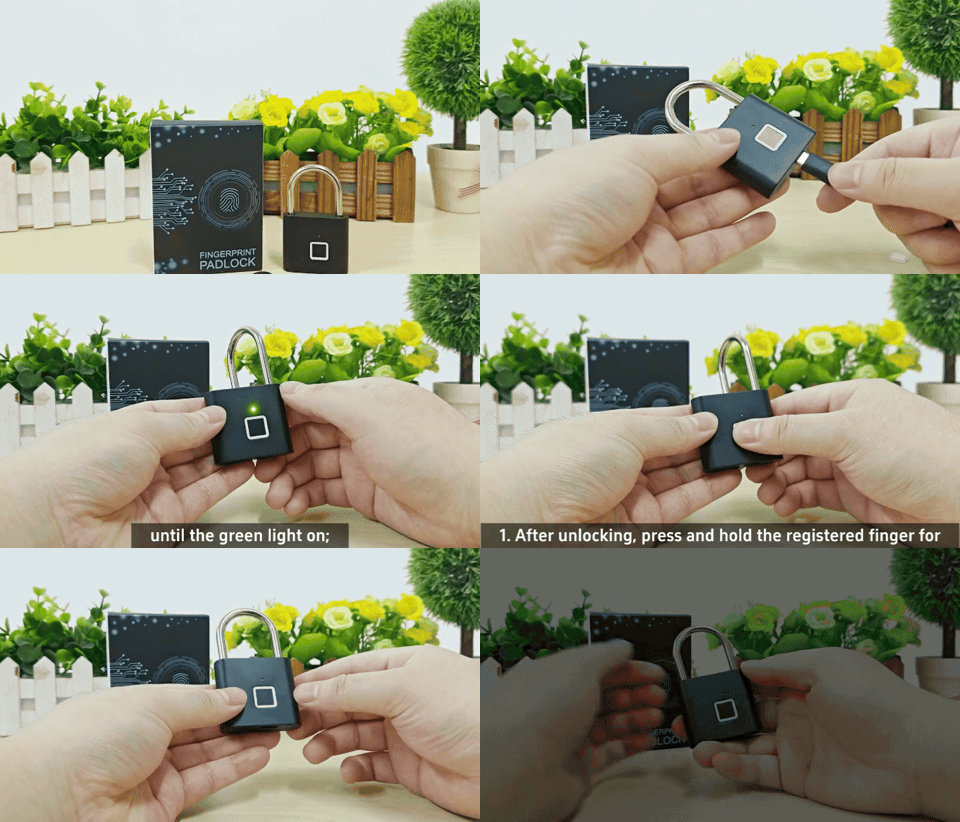
Lost Your Keys Again? There's an Easier Way
Keys forgotten at home, lost, or code locks that are hard to remember are common everyday hassles. This can cause unnecessary stress, particularly at the gym, at school or at work. LockPrint is designed as an alternative where your finger acts as the key – nothing to carry, nothing to forget.
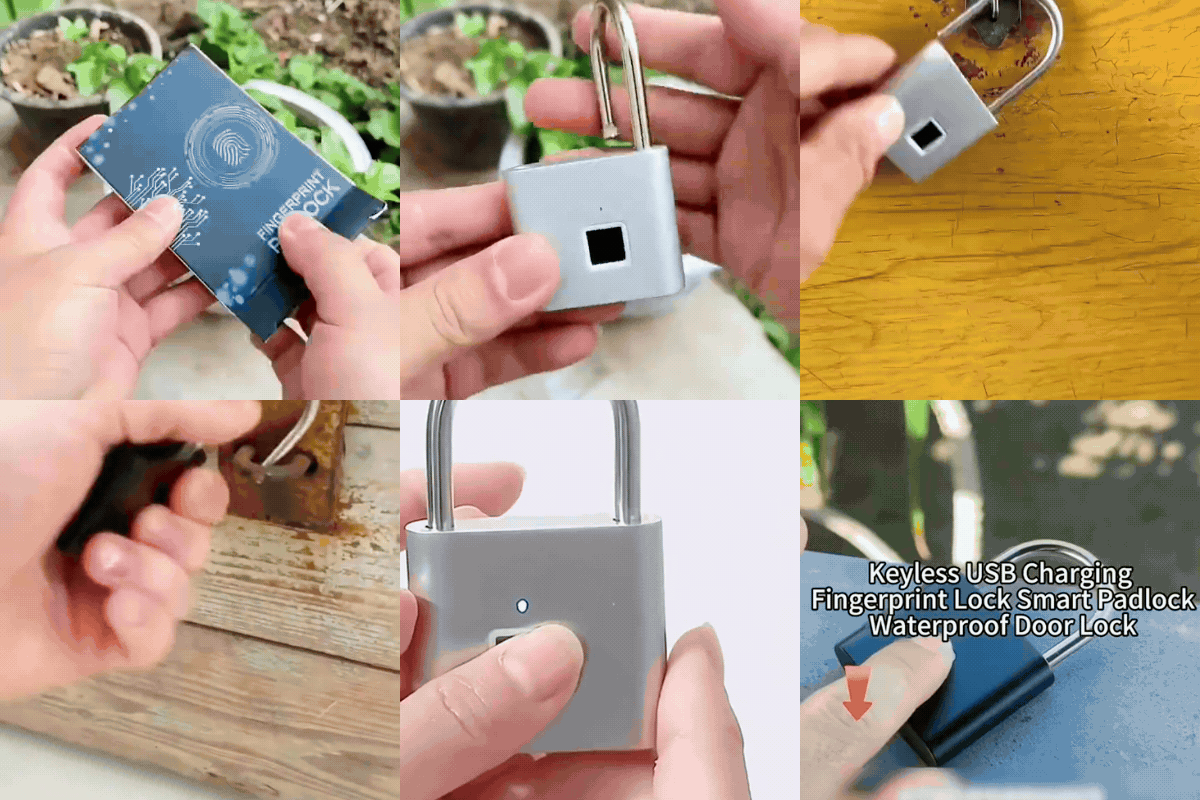
Technology Designed to Simplify Everyday Life
LockPrint is built around a built-in fingerprint sensor with a proprietary chip, connected to a rechargeable lithium battery. The lock can recognise registered fingerprints and unlock quickly, while the zinc alloy construction is designed to offer some resistance against drilling, cutting and sawing.
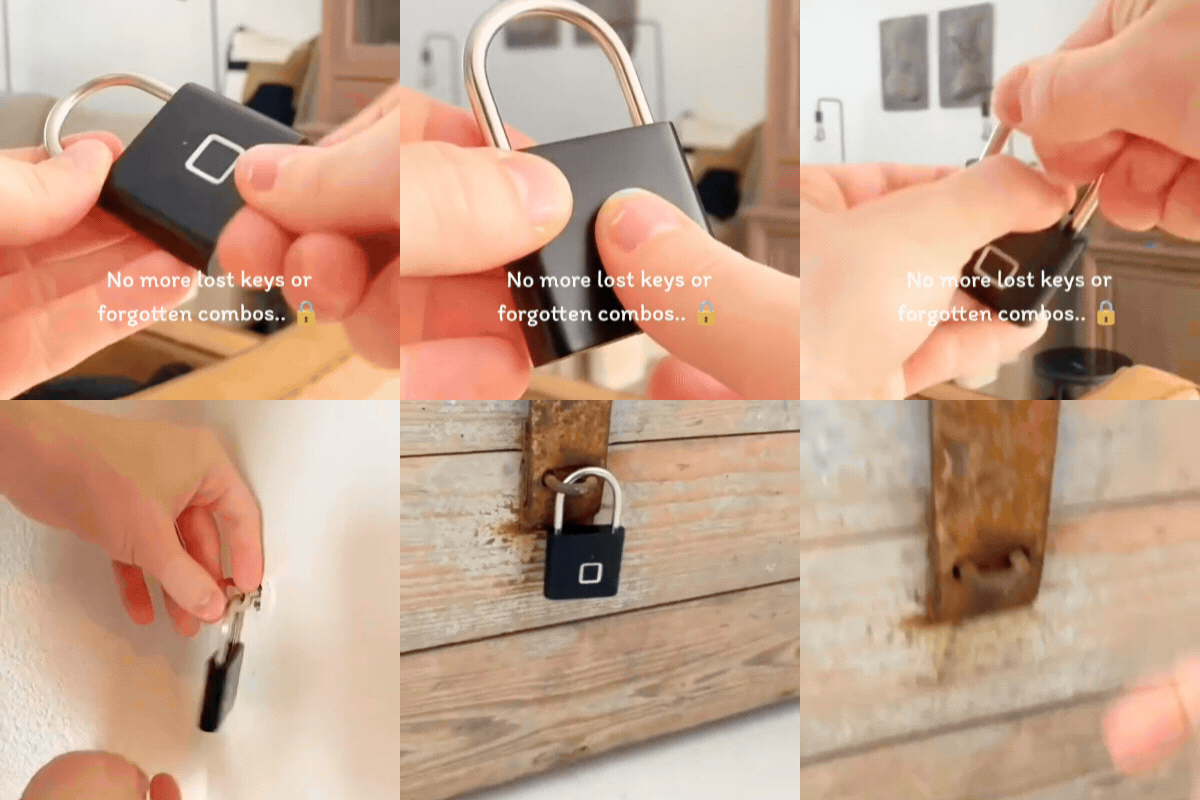
What Makes LockPrint a Smart Choice
Fast Recognition With an Advanced Sensor
The built-in sensor uses a proprietary chip with automatic learning, designed to provide a recognition rate of around 99% and an unlock time of under a second, regardless of the angle at which the finger is held.

Space for Multiple Fingerprints
The lock can store up to 10 different fingerprints, which can make it practical to share between family members, colleagues or teammates who need access to the same cabinet or space.

Charging Without Extra Batteries
LockPrint charges via Micro USB, with a full charge typically taking around 1–2 hours. The built-in 3.7V lithium battery can, in some cases, last for up to around 9,000 unlocks or roughly 6 months on standby, depending on how often the lock is used.

Low Battery Warning
If the voltage drops below approximately 3.5V, the red light is designed to flash for around 15 seconds after unlocking. If the battery remains low, the lock may emit a reminder signal roughly once a minute.

Robust Construction for Many Situations
The lock body is made from zinc alloy, designed to offer some resistance to drilling, sawing, cutting and picking. Suitable for cabinets, bikes, bags, storage units and similar.

Versatile Everyday Use
LockPrint can be used at home, while travelling, at school or at work. Suitable for suitcases, gym lockers, bikes, golf bags, storage units, wardrobes and other things you want to keep secure.

How to Register the Administrator's Fingerprint
The first two fingerprints registered become the administrator fingerprints.
- Hold your finger against the sensor for 5 seconds until the blue light starts flashing.
- Lift your finger off when the blue light flashes.
- Start registering the fingerprint when the green light flashes, by pressing with the same finger.
- Press with the same finger a total of 10 times; the blue and green lights will flash alternately during the process.
- If a press succeeds, the blue light flashes. If a press fails, the red light flashes instead, and the press may need to be repeated.
- After 10 successful presses, you'll hear a "Di" sound and the green light will stay on steadily for around 1 second, confirming that the administrator fingerprint has been registered.
- Repeat the entire procedure once more to register the second administrator fingerprint.

How to Register Regular Users' Fingerprints
The remaining eight slots are intended for regular users and are added by the administrator once the lock has already been unlocked.
- Unlock the lock using a registered administrator fingerprint.
- Hold the already-registered finger against the sensor for 5 seconds until the blue light comes on.
- Have the new user press their finger against the sensor more than 10 times, following the light signals, in the same way as during administrator registration.
- A "Di" sound and a steady green light for around 1 second confirm that the new fingerprint has been registered.
- Repeat the procedure for additional users, up to a total of 10 stored fingerprints (including the two administrator fingerprints).

How to Delete Fingerprints
Deleting removes all stored fingerprints at once – individual fingerprints cannot be deleted separately.
- Hold your finger against the sensor for 10 seconds until the red light comes on.
- Lift your finger off when the red light is lit.
- Press one of the two administrator fingerprints against the sensor. A "Di" sound will play and the green light will flash for around 1 second.
- All fingerprints are deleted once the light switches off completely.
- After deletion, new fingerprints need to be registered before the lock can be used again.

Frequently Asked Questions (FAQ)
What's the difference between administrator and user fingerprints?
The first two fingerprints registered become administrator fingerprints and are used, among other things, to delete all stored fingerprints. The remaining eight slots are intended for regular users and are added by the administrator.
Can I delete a single fingerprint without removing all the others?
No, the deletion function removes all stored fingerprints at once. After deletion, new fingerprints need to be registered again, starting with the administrator fingerprints.
What should I do if my fingerprint isn't recognised?
This is often due to worn, dirty or wet fingers, or a dirty sensor. Make sure both your finger and the sensor are clean and dry before trying again.
How many fingerprints can be stored?
Up to 10 fingerprints in total, of which the first two are administrator fingerprints and the remaining eight are for regular users.
What should I do if the battery runs out?
Connect the included USB cable to the Micro USB port. A full charge typically takes 1–2 hours and can, in some cases, last for up to around 9,000 unlocks.
How long does a full charge last?
With normal use, the lock can, in some cases, stay on standby for around 6 months after a full charge. When the battery is low, the red light flashes after unlocking.
What's in the Box
1 x LockPrint fingerprint lock
1 x USB charging cable
| SPECIFICATIONS |
|
|---|---|
| Material | Zinc alloy |
| Shackle | 5mm, resistant to sawing, cutting and picking |
| Unlock method | Fingerprint |
| Unlock speed | Under 1 second |
| Recognition rate | Approximately 99% |
| Fingerprint capacity | Up to 10 groups (2 admin + 8 users) |
| Battery | 3.7V lithium battery, built-in and rechargeable |
| Charging time | Approximately 1–2 hours for a full charge |
| Battery capacity | Up to approximately 9,000 unlocks or 6 months standby |
| Low battery warning | When voltage drops below approximately 3.5V |
| Weight | Approx. 95g |
| Size | 7.6 x 4.6 x 1.3 cm |
| LED indicator | Red, blue and green |
| Certification | CE |
Delivery
Delivery
BilligaBoden offers Free Trackable Shipping on all our products.
We have partnerships with DHL Express and many more shipping companies to make our deliveries as fast and smooth as possible.
We have a processing time of 1-3 days to quality check and package your goods before dispatch.
After the quality check and packaging, your parcel will be sent by trackable delivery with an estimated delivery time of 3-7 working days.
Delivery times may vary depending on your location and any delays with the shipping company.
Your parcel will be delivered to your letterbox or door, if for any reason it is not possible to deliver your parcel, the parcel will be left at your nearest postal agent and you will be notified by email or text message.
Do you have any questions? Contact us via E-mail: kontakt@billigaboden.se
Read more here Shipping & Delivery
Method of payment
Method of payment





Return & Guarantee
Return & Guarantee
Returns
You always have a 30-day right of withdrawal in accordance with current consumer protection legislation. This means that you as a customer have the right to cancel your purchase by notifying us within 30days of you or an agent for you receiving the ordered item (the withdrawal period).
The goods must be returned to us as soon as possible, and you as a customer are responsible for ensuring that the return is received by us no later than 14 days from the date you notified us that you exercised your right of withdrawal. The goods must be sent well packaged, in good condition and in the original box. Make sure to write the order number on both the outside and inside of the package.
To initiate a return or warranty claim, please contact us by email: kontakt@billigaboden.se
Read more in our Return Policy
Guarantees and warranties
Our products are manufactured to BilligaBoden's high quality standards. Despite this, your product is covered by our limited 24-month warranty against any manufacturing defects.
Read more in our Warranty Policy

Description of the project
Description of the project
Unlock With a Fingertip – No Key, No Code to Remember
- 🔒 Fingerprint recognition – unlocks with your finger instead of a key or code
- 💧 Waterproof construction – can withstand rain and moisture, suitable for outdoor use
- ⚡ Fast unlocking – can respond in under a second when a registered fingerprint is used
- 🔋 USB rechargeable – built-in battery that charges easily without extra batteries
- 👨👩👧👦 Shared access – space for several different fingerprints so family or colleagues can use the same lock
LockPrint is a smart padlock that unlocks using a fingerprint instead of a key, code or app. The lock is built from zinc alloy with a 5mm shackle and is designed to withstand different weather conditions, making it an option for cabinets, gates, bikes, bags and other things you want to keep secure.
Lost Your Keys Again? There's an Easier Way
Keys forgotten at home, lost, or code locks that are hard to remember are common everyday hassles. This can cause unnecessary stress, particularly at the gym, at school or at work. LockPrint is designed as an alternative where your finger acts as the key – nothing to carry, nothing to forget.
Technology Designed to Simplify Everyday Life
LockPrint is built around a built-in fingerprint sensor with a proprietary chip, connected to a rechargeable lithium battery. The lock can recognise registered fingerprints and unlock quickly, while the zinc alloy construction is designed to offer some resistance against drilling, cutting and sawing.
What Makes LockPrint a Smart Choice
Fast Recognition With an Advanced Sensor
The built-in sensor uses a proprietary chip with automatic learning, designed to provide a recognition rate of around 99% and an unlock time of under a second, regardless of the angle at which the finger is held.
Space for Multiple Fingerprints
The lock can store up to 10 different fingerprints, which can make it practical to share between family members, colleagues or teammates who need access to the same cabinet or space.
Charging Without Extra Batteries
LockPrint charges via Micro USB, with a full charge typically taking around 1–2 hours. The built-in 3.7V lithium battery can, in some cases, last for up to around 9,000 unlocks or roughly 6 months on standby, depending on how often the lock is used.
Low Battery Warning
If the voltage drops below approximately 3.5V, the red light is designed to flash for around 15 seconds after unlocking. If the battery remains low, the lock may emit a reminder signal roughly once a minute.
Robust Construction for Many Situations
The lock body is made from zinc alloy, designed to offer some resistance to drilling, sawing, cutting and picking. Suitable for cabinets, bikes, bags, storage units and similar.
Versatile Everyday Use
LockPrint can be used at home, while travelling, at school or at work. Suitable for suitcases, gym lockers, bikes, golf bags, storage units, wardrobes and other things you want to keep secure.
How to Register the Administrator's Fingerprint
The first two fingerprints registered become the administrator fingerprints.
- Hold your finger against the sensor for 5 seconds until the blue light starts flashing.
- Lift your finger off when the blue light flashes.
- Start registering the fingerprint when the green light flashes, by pressing with the same finger.
- Press with the same finger a total of 10 times; the blue and green lights will flash alternately during the process.
- If a press succeeds, the blue light flashes. If a press fails, the red light flashes instead, and the press may need to be repeated.
- After 10 successful presses, you'll hear a "Di" sound and the green light will stay on steadily for around 1 second, confirming that the administrator fingerprint has been registered.
- Repeat the entire procedure once more to register the second administrator fingerprint.
How to Register Regular Users' Fingerprints
The remaining eight slots are intended for regular users and are added by the administrator once the lock has already been unlocked.
- Unlock the lock using a registered administrator fingerprint.
- Hold the already-registered finger against the sensor for 5 seconds until the blue light comes on.
- Have the new user press their finger against the sensor more than 10 times, following the light signals, in the same way as during administrator registration.
- A "Di" sound and a steady green light for around 1 second confirm that the new fingerprint has been registered.
- Repeat the procedure for additional users, up to a total of 10 stored fingerprints (including the two administrator fingerprints).
How to Delete Fingerprints
Deleting removes all stored fingerprints at once – individual fingerprints cannot be deleted separately.
- Hold your finger against the sensor for 10 seconds until the red light comes on.
- Lift your finger off when the red light is lit.
- Press one of the two administrator fingerprints against the sensor. A "Di" sound will play and the green light will flash for around 1 second.
- All fingerprints are deleted once the light switches off completely.
- After deletion, new fingerprints need to be registered before the lock can be used again.
Frequently Asked Questions (FAQ)
What's the difference between administrator and user fingerprints?
The first two fingerprints registered become administrator fingerprints and are used, among other things, to delete all stored fingerprints. The remaining eight slots are intended for regular users and are added by the administrator.
Can I delete a single fingerprint without removing all the others?
No, the deletion function removes all stored fingerprints at once. After deletion, new fingerprints need to be registered again, starting with the administrator fingerprints.
What should I do if my fingerprint isn't recognised?
This is often due to worn, dirty or wet fingers, or a dirty sensor. Make sure both your finger and the sensor are clean and dry before trying again.
How many fingerprints can be stored?
Up to 10 fingerprints in total, of which the first two are administrator fingerprints and the remaining eight are for regular users.
What should I do if the battery runs out?
Connect the included USB cable to the Micro USB port. A full charge typically takes 1–2 hours and can, in some cases, last for up to around 9,000 unlocks.
How long does a full charge last?
With normal use, the lock can, in some cases, stay on standby for around 6 months after a full charge. When the battery is low, the red light flashes after unlocking.
What's in the Box
1 x LockPrint fingerprint lock
1 x USB charging cable
| SPECIFICATIONS |
|
|---|---|
| Material | Zinc alloy |
| Shackle | 5mm, resistant to sawing, cutting and picking |
| Unlock method | Fingerprint |
| Unlock speed | Under 1 second |
| Recognition rate | Approximately 99% |
| Fingerprint capacity | Up to 10 groups (2 admin + 8 users) |
| Battery | 3.7V lithium battery, built-in and rechargeable |
| Charging time | Approximately 1–2 hours for a full charge |
| Battery capacity | Up to approximately 9,000 unlocks or 6 months standby |
| Low battery warning | When voltage drops below approximately 3.5V |
| Weight | Approx. 95g |
| Size | 7.6 x 4.6 x 1.3 cm |
| LED indicator | Red, blue and green |
| Certification | CE |
BilligaBoden Compared to others
Our promise: Affordable and reliable products, always with the customer's best interests in mind
Low prices without compromising on quality.
Wide range of products for all needs.
Easy and fast customer service.
Fast and secure delivery.
